Introduction
The fish-lsp project provides a language server for the fish-shell, enabling advanced features like autocompletion, syntax checking, and more in compatible editors.
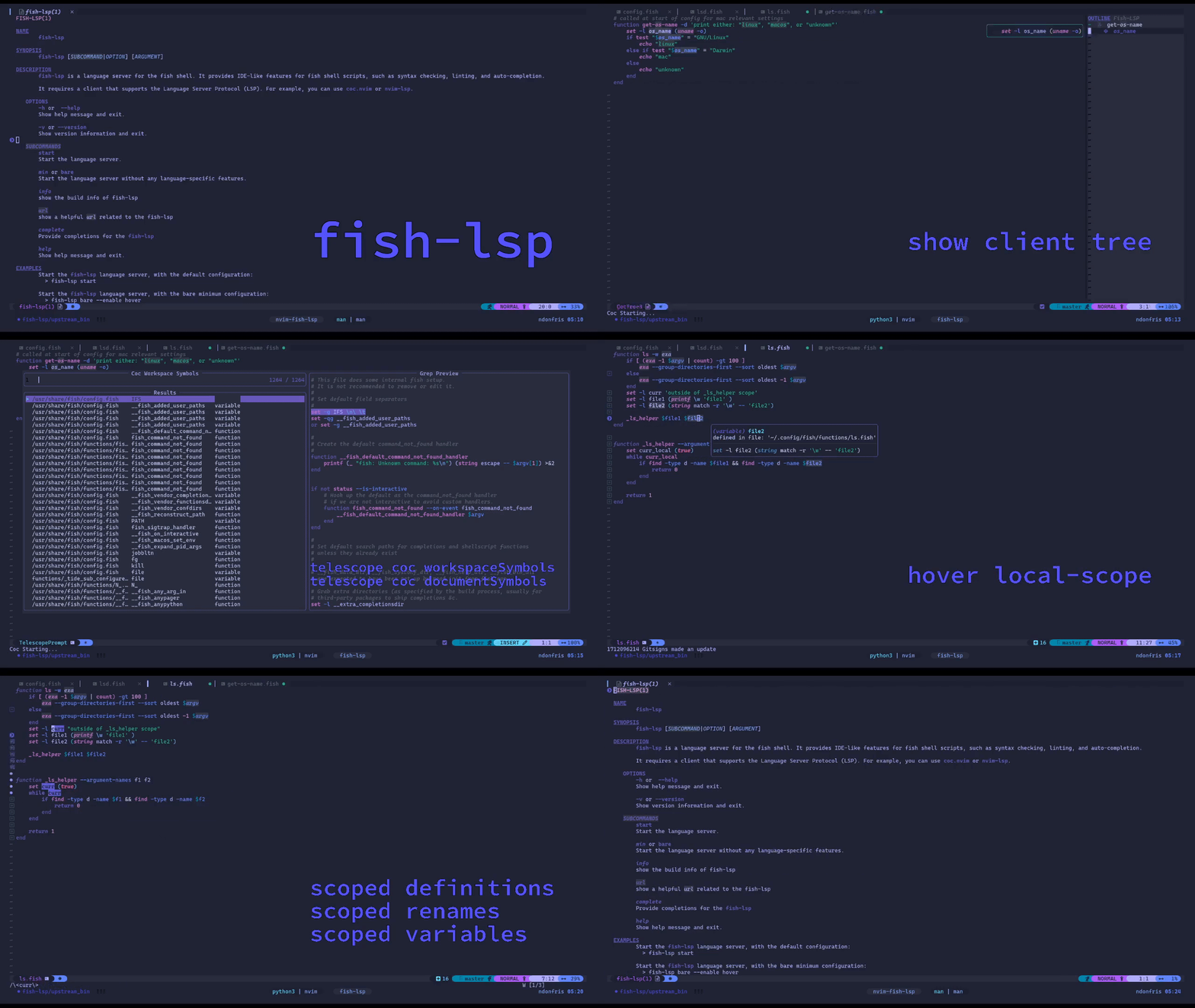
General Setup Strategies
To correctly get the server up and running, the process should be relatively straight forward.
Depending on how you plan to use the fish-lsp language-server, the installation and configuration process may vary.
However, for most users, the setup process generally falls into one of the two categories below:
-
The most common case, is that the user needs to manually install the server, and then configure their language-client to start the server for
*.fishfiles.Example Clients:
vim/nvim(nvim-lspconfig, coc.nvim, mason.nvim, YouCompleteMe, vim-lsp, etc.)helixkakounekateemacs(lsp-mode, or other common alternatives)IntelliJBBEdit
The list is not exhaustive, and any client that supports the Language Server Protocol should be able to use
fish-lspas a language server. -
The user's Text-Editor, IDE, or language-client automatically installs the server for them.
Normally, this is the case editors like VSCode or VSCodium, where an extension directly installs the language server and configuration is then directly done through the extension itself. In these cases, it is not required to manually/globally install the server, as this is already done for you by the extension.
It is also worth noting that the binary
fish-lspcommand used by the extension out-of-the-box is not accessible to the user's shell. User's might want to add the binary to their$PATHto access it directly from the command line
Binary help output
Once the user has installed the fish-lsp binary, they can run the following command to see the help output:
fish-lsp --help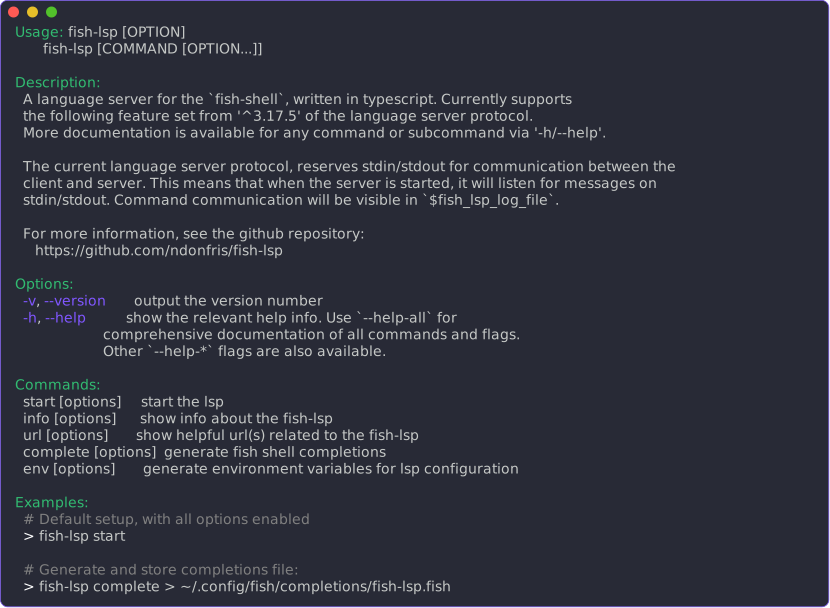
More commandline-line subcommand & flag combinations are available to the binary fish-lsp executable, and might be helpful to debug an issue encountered
General Notes
A few general notes about the fish-lsp project:
-
The project is still in active development, and while it is usable, there may be bugs or missing features. Please report any issues you encounter on the GitHub Issues page.
-
The project is open-source and contributions are welcome! If you would like to contribute, please see the Contributing Guide.
-
The project is cross-platform and should work on any operating system that supports the fish-shell and the Language Server Protocol.